AI UNDERDOGSDAILY PICK
AI UNDERDOGS
一个键,开所有的门
One key. Any door.
AnyDoor
每天在终端、浏览器
数据库工具之间切来切去
手刚离开键盘去点一下菜单栏——节奏就断了
AnyDoor 想解决的就是这件事
Switching between terminal, browser, and DB tools all
day, the moment your hand leaves the keyboard
to click a menu bar — flow breaks
AnyDoor exists to fix exactly that
不止切 App 的快捷键
Hotkeys beyond app switching
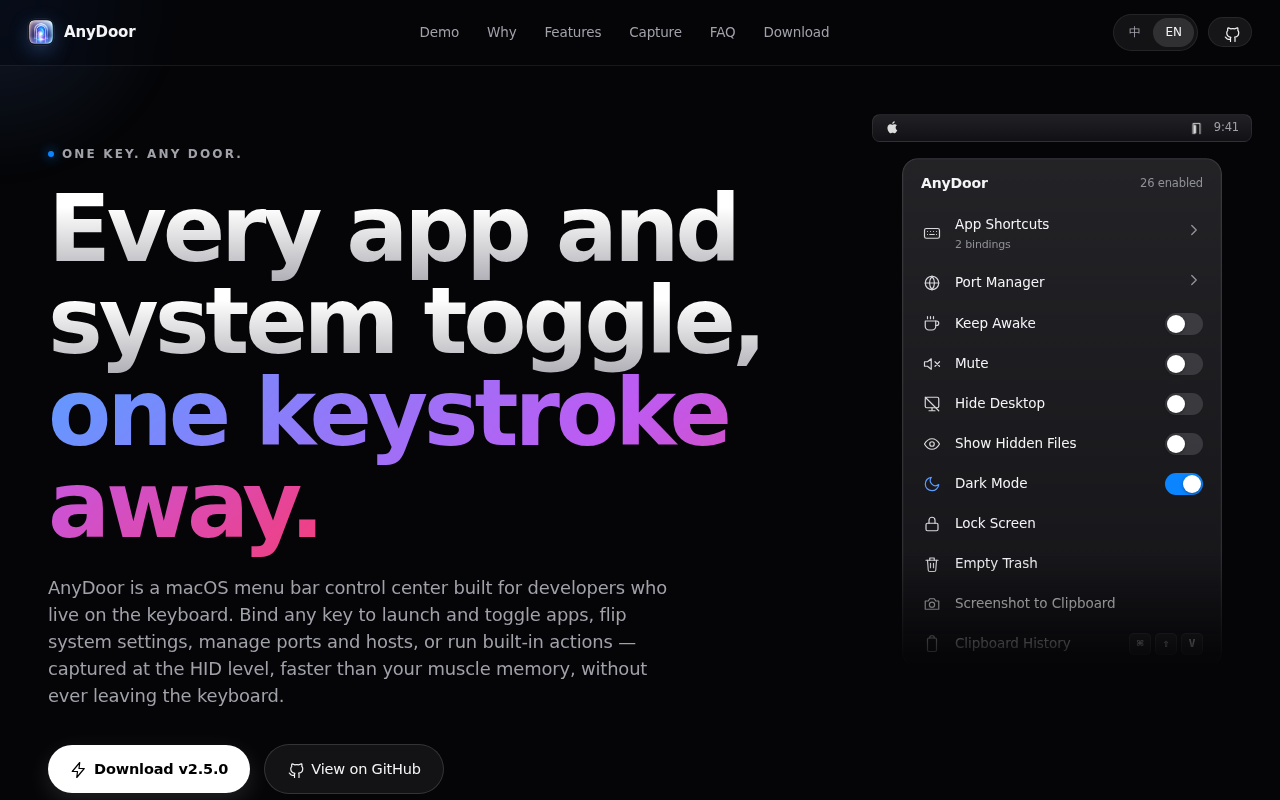
市面上大部分快捷键工具只管切 App
AnyDoor 把 hosts 管理
端口检查
剪贴板历史全塞进了一个全局唤醒器里——以前得开五个菜单栏应用干的事
现在一个快捷键搞定
Most hotkey tools just switch apps. AnyDoor folds
in hosts management, port inspection, and clipboard history
— the dev chores that normally need five
separate menubar apps, now one shortcut away
★ SIGNAL 1
五个菜单栏 App,砍成一个
Five menubar apps → one
有意思的地方在于它不是在做一个「更快的 App 启动器」
而是看到了开发者日常那堆散装工具的本质——都是「我需要快速调出来用一下」的东西
能有这个洞察
说明作者自己被这些问题折磨过
The interesting part: it's not a 'faster app
launcher.' The author saw that all those scattered
dev utilities share the same nature — things
you need to invoke instantly. That kind of
insight comes from being personally annoyed by the
problem
★ SIGNAL 2
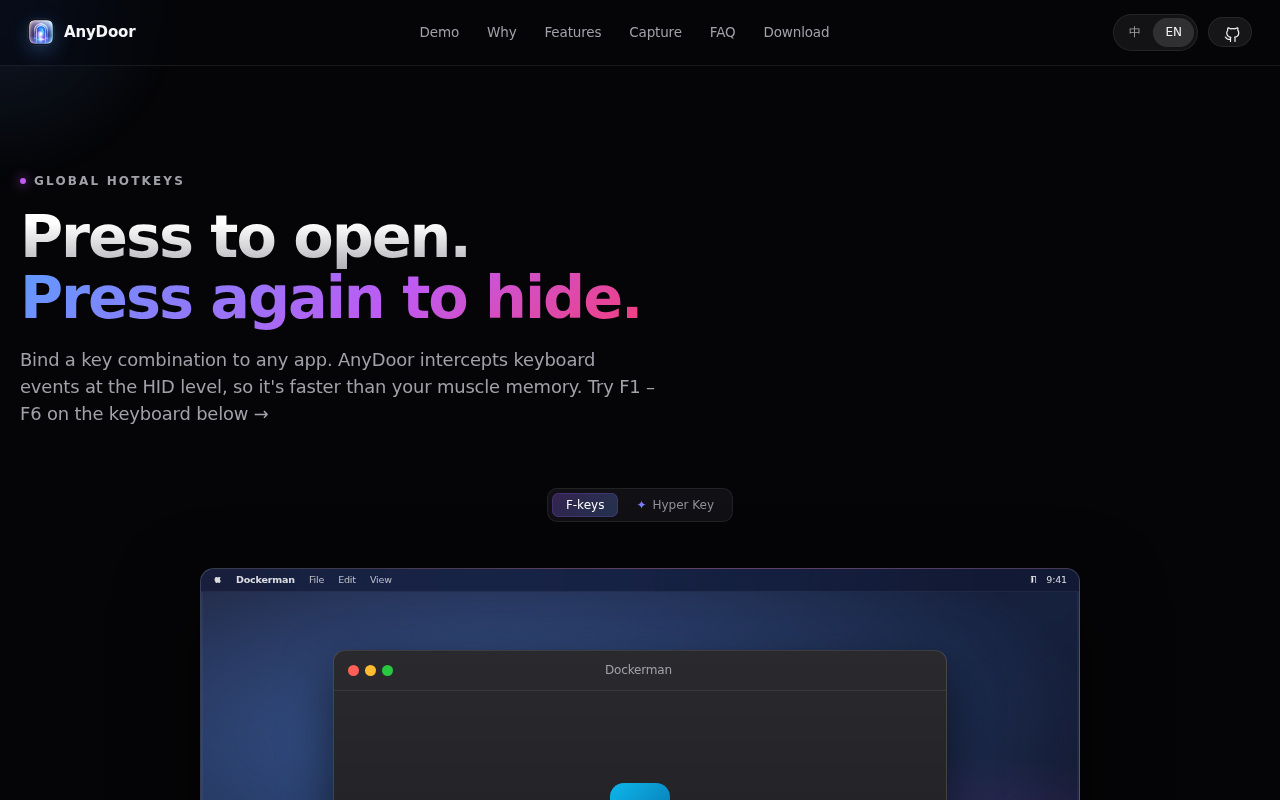
HID 层钩子,比你的反应还快
HID-layer hooks — faster than you
作者没选最省事的方案——普通的全局快捷键是监听应用层的按键事件
AnyDoor 直接在 HID 层做拦截
这意味着哪怕你当前 App 在全屏或者焦点被抢了
快捷键照样秒响应
这细节背后,一定有被延迟坑过的血泪史
The author didn't take the easy route. Normal
global hotkeys listen to app-level key events
AnyDoor hooks at the HID layer — the
hardware input layer. Even if you're in full-screen
or focus is stolen, the hotkey fires instantly
That kind of detail usually comes from getting
burned by latency before
有意思的是
作者的宣传语就六个字——「一个键
任意一扇门」
没有吹什么效率提升百分之多少
没有堆功能清单,就这么一句话
反而让人觉得,这东西他是真给自己做的
What's telling: the author's tagline is just six
words — "One key. Any door." No efficiency
percentages, no feature bullet lists. Just that. Makes
you feel like this tool was genuinely built
for himself first
AI UNDERDOGS

开源项目,macOS 专属
Open source. macOS only.
AnyDoor
关注 · 每天发现更多 AI 神作
anydoor.dev