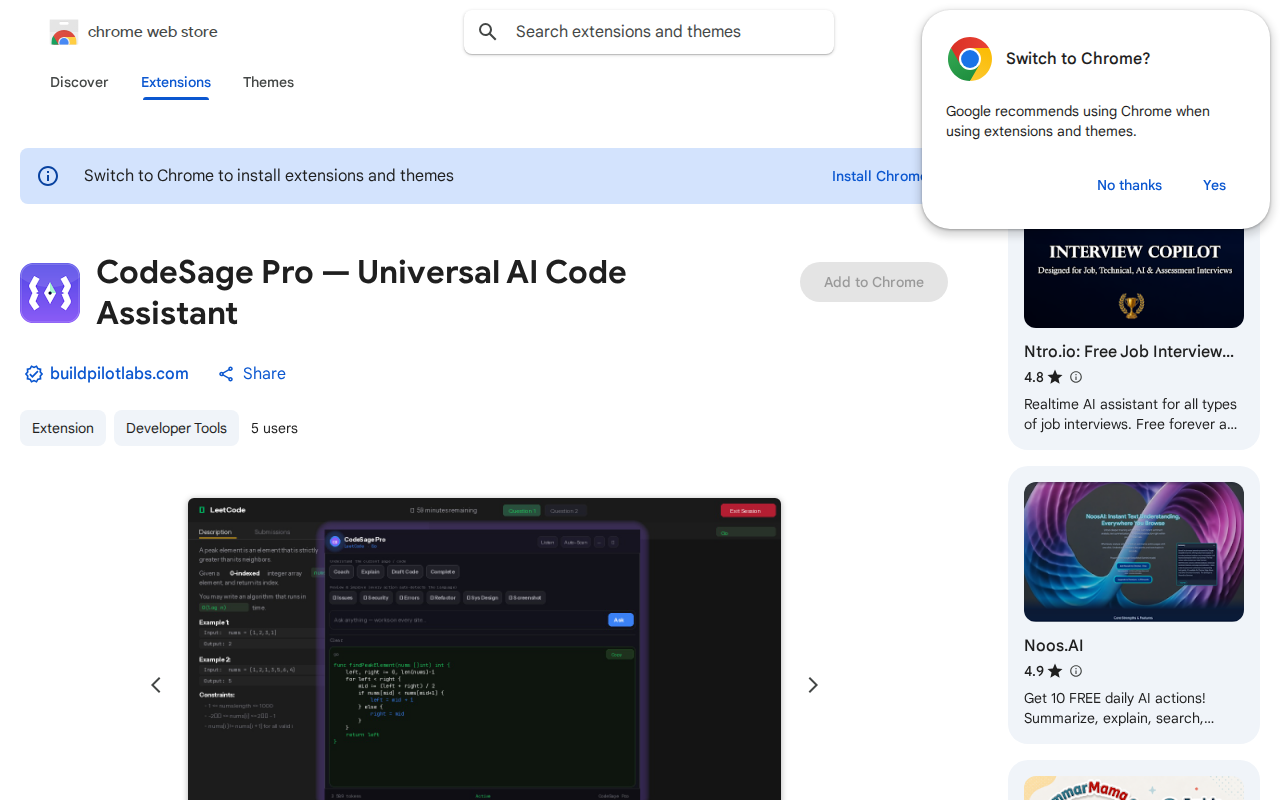
CodeSage Pro
chromewebstore.google.com/detail/codesage-pro-â-universal/cbkkghdedpjamcicmnfpihehmgjemmhi →AI code help on any website you land on
WHAT IT SOLVES
Most AI coding tools live inside an IDE. Spot code on a random webpage? Copy-paste it somewhere else first
WHY IT'S INTERESTING
Works everywhere, not just LeetCode
Whether it's a HackerRank problem, a Stack Overflow answer, or a random blog snippet — select code and ask. Reading the problem context straight off the page is a broader play than tools tied to one platform
Chrome extension, not a wrapper site
As a Chrome extension it can access the page DOM and actually 'see' the code you're looking at — no copy-paste dance. Bug detection and security review bundled in, with 25 free calls/month as a usable freemium tier
TECH GUESS
Chrome extension (Manifest V3 likely) hitting an external LLM API
DEEP DIVE
The Code Emergency Kit for Web Surfers: Ambition and Awkwardness in a Browser Extension
In an era where AI assistants embedded in the IDE are the norm, a Chrome extension called CodeSage Pro tries a different path: it doesn't want to be your co-pilot while coding, but rather an instant translator when you encounter code while "surfing" the web. Its core selling point is straightforward—on any webpage you browse, select code to get an explanation, find bugs, or perform a security review. For developers who habitually grind problems on HackerRank, find answers on Stack Overflow, or read tech blogs, this sounds like a tool that could eliminate the tedious "copy-paste-switch window" dance.
From Copy-Paste to Select-and-Ask: What Problem Does It Actually Solve?
Most AI coding assistants (like Copilot, Codeium) are deeply integrated into the IDE, with your entire project as their context. CodeSage Pro's positioning is fundamentally different: its context is any arbitrary webpage you are viewing. As developer rsingh867 described in the Show HN post, it "reads the problem on the page." This means when you see an unfamiliar code snippet, you can ask about it directly without leaving the page or manually copying the code to another tool. This "works on any website" versatility is its key differentiator from plugins optimized for LeetCode or specific platforms. By accessing the page DOM directly via a browser extension, it can theoretically capture the code block you're viewing more accurately than relying on manual user copying.
Technical Implementation and Free Tier: A Classic Indie Dev Product
From a technical stack perspective, this is likely a standard Chrome extension based on Manifest V3, with the frontend handling DOM manipulation and UI, and the backend calling external LLM APIs (like OpenAI) for actual code analysis. This architecture is lightweight and fast to develop, ideal for an indie developer to quickly validate an idea. Its business model is a classic Freemium: offering 25 free AI calls per month. This quota is sufficient for occasional snippet queries but will run out quickly for heavy users (like systematic problem grinders), guiding them toward payment. Currently, the Chrome Web Store shows it has only 5 users, and the HN post has just 2 points and 0 comments, clearly indicating it's in a very early exploratory stage and has not yet attracted widespread community attention.
Who Needs It? And Why Might It Struggle?
The ideal user persona for CodeSage Pro is very clear: developers who frequently encounter unfamiliar code snippets in the browser, such as learners, interview preppers, or engineers who need to quickly evaluate third-party code snippets. Its promise of "one-stop" in-page analysis, if the experience is smooth, could indeed improve information retrieval efficiency. However, its limitations are equally stark. First, the 25 calls/month free quota might feel restrictive even during the trial period, making it hard for users to form a dependency. Second, its core functions (explanation, bug finding, security review) overlap with general-purpose LLMs (like ChatGPT) or more specialized static analysis tools; users could easily perform similar operations in another tab. Most critically, the HN post with 0 comments hints at a harsh reality: in the current red ocean of AI tools, a browser extension with relatively singular functionality and lacking a strong community or unique technical moat struggles to capture developers' attention. It addresses an "itch" (the hassle of copy-paste) rather than a "pain point" (like code that won't run, or a project that's hard to understand).
Conclusion: An Interesting Idea, But a Long Road Ahead
CodeSage Pro represents an intriguing line of thinking: extending AI capabilities from the "production environment" of coding to the "browsing environment" of code learning. It demonstrates the ability of indie developers to leverage existing AI APIs to quickly build tools for vertical scenarios. However, its current data (5 users, 0 interaction) also cruelly shows that having a "universal" idea alone isn't enough. It needs to become exceptionally useful in specific scenarios (e.g., having exclusive optimizations for problems on certain competition platforms), or find a more sustainable business model and growth strategy. Otherwise, it will likely just be another quickly forgotten small wave in the ocean of AI tools.
Discussion (0)
- No comments yet — be the first.
Related
 #229▶ 136
Upload your textbook. AI teaches it back to you, chapter by chapter
 #228▶ 112
Someone needs to watch the AI spend meter
 #227▶ 184
Your users are kittens. Don't let them fall off the cliff