Nanocode
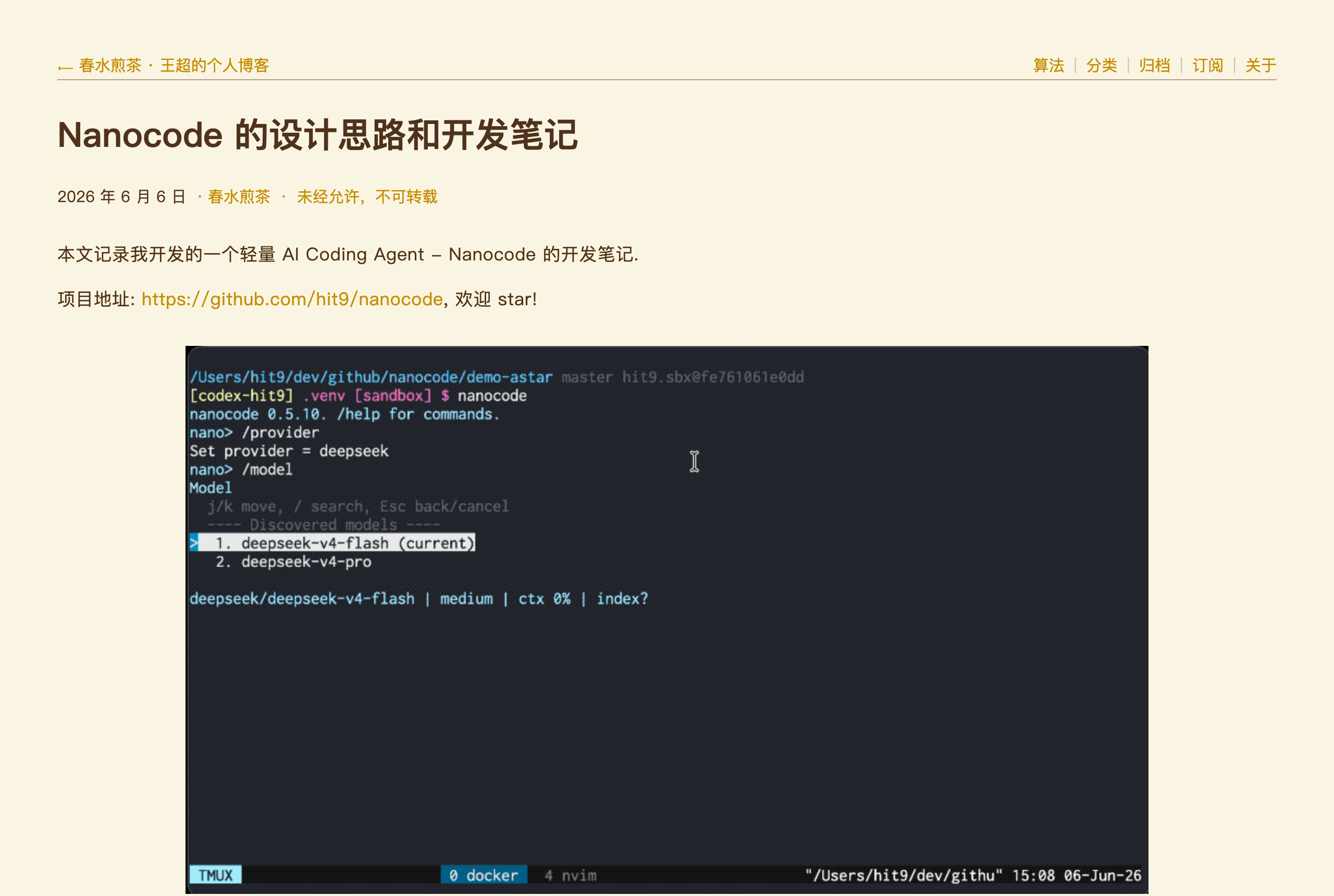
github.com/hit9/nanocode →An AI coding assistant that lives in your terminal. That's it.
WHAT IT SOLVES
AI code editors come bloated with panels, popups, and hundreds of megabytes. Sometimes you just want a terminal assistant that doesn't eat your RAM.
WHY IT'S INTERESTING
689 commits, built by one person
The commit history shows 689 commits and 35 tags by a single developer — from gitignore pattern caching to snapshot tests. This isn't a weekend drop-and-forget toy.
Lightweight, not half-baked
The README documents tested providers (DeepSeek, OpenCode, Ali…), showing the author thought beyond 'works on my machine' — actively validating across model ecosystems.
「A lightweight terminal-based AI coding assistant」
TECH GUESS
Python, judging by the repo structure and extensive test suite in the commit history.
DEEP DIVE
The Anti-Hero of AI Coding Assistants: It Just Wants Your Terminal
In an era where AI code editors (like Cursor, Windsurf) demand hundreds of megabytes of download and bombard you with panels and pop-ups, Nanocode’s positioning is deliberately contrarian. Its Show HN title was disarmingly simple: “Show HN: Nanocode-CLI – A lightweight terminal-based AI coding assistant.” That’s it. A terminal program. The developer, hit9, sums it up in one line: “A lightweight terminal-based AI coding assistant.” This extreme restraint hits a genuine pain point for a subset of developers: I just want to quickly ask the AI a question or modify a snippet within my familiar terminal, without context-switching or being distracted by complex UIs.
689 Commits: The Solitude and Tenacity of a Solo Developer
The most striking aspect of Nanocode isn’t its features, but its commit history. 689 commits, 35 tags, all from a single developer, hit9. This is no weekend project. The commit messages reveal meticulous work: from “Fix snapshots” and “Replace legacy nanocode with v1 core tests” for foundational engineering, to “Cache gitignore patterns across tool calls with mtime-based invalidation” for performance optimization. This signals a developer not just “showcasing a prototype,” but continuously and seriously refining a tool for their own daily use. In the indie dev world, projects born from personal need and iterated over the long haul often have more vitality than those chasing trends.
Beyond Self-Service: Pragmatic Support for a Multi-Model Ecosystem
An indie developer’s tool often only supports the models they personally use. Yet, Nanocode’s README includes a dedicated “tested providers” section, listing Deepseek, OpenCode, Ali (Alibaba Cloud), and others. This detail reveals hit9’s thoughtful approach: he understands that different developers and scenarios have varying requirements for model cost, speed, and privacy. A truly useful tool must integrate with different model services. This consideration for the “ecosystem” elevates Nanocode from a personal toy to a usable tool for others. It doesn’t lock you into any single vendor, returning the choice to the user.
Honest Limitations: It Doesn’t Pretend to Be Your IDE
It’s crucial to recognize that Nanocode’s “lightweight” and “terminal” nature also defines its capability boundaries. It cannot offer real-time code completion like an IDE, complex project indexing, or visual diff comparisons. It’s better suited for “light interactions”: quick Q&A, generating code snippets, explaining functions, etc. If you expect it to fully replace a full-fledged AI IDE, you will be disappointed. Its Show HN post received only 4 points and 0 comments, which subtly indicates that such “small and beautiful” tools have a quiet voice in a discourse that often prizes the grand and comprehensive. Its users are developers who embrace the “terminal philosophy,” value efficiency, and refuse to be shackled by heavyweight tools.
Who Should Give Nanocode a Try?
If you’re the kind of developer who finds VS Code too heavy, considers Sublime Text sufficient, and does most of your work in the terminal (or a terminal emulator); if your need for AI assistance is “on-demand,” appearing only when summoned and not occupying permanent screen real estate and mental bandwidth; if you’re willing to spend a few minutes configuring an API key to enjoy the purity of a tool meticulously crafted by a single developer through 689 commits—then Nanocode is worth a try. It’s not the ultimate form of future programming, but it represents a vital direction for AI tooling: diving deep into the developer’s most native environment (the terminal), doing the least, but doing it well enough.
Discussion (0)
- No comments yet — be the first.
Related
 #229▶ 136
Upload your textbook. AI teaches it back to you, chapter by chapter
 #228▶ 112
Someone needs to watch the AI spend meter
 #227▶ 184
Your users are kittens. Don't let them fall off the cliff