YCode
github.com/melon95/YCode →Run Codex, Claude Code & Gemini CLI side by side
WHAT IT SOLVES
Every CLI coding agent lives in its own terminal tab — switching between them is chaos
WHY IT'S INTERESTING
Each agent gets its own PTY
Not just tiled terminals — each agent runs in its own isolated PTY so they can't step on each other. Built-in editor + Git diff view means you see exactly what each one touched
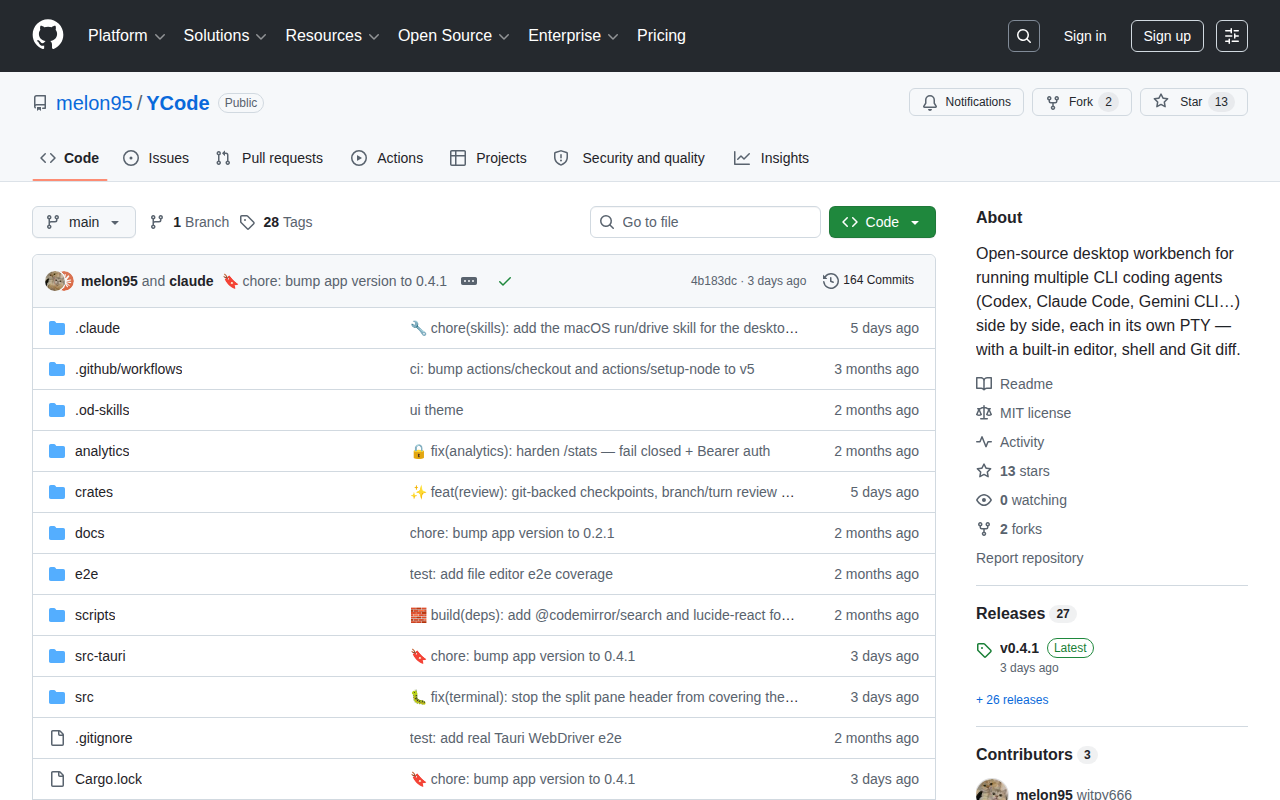
164 commits of real iteration
Commit history says 'melon95 and claude' — the author literally used an AI agent to build this multi-agent workbench. Even the macOS driver skills were scaffolded with Claude's help
TECH GUESS
Electron or Tauri desktop shell with node-pty for PTY management
DEEP DIVE
Stop Opening Eight Terminal Windows
If you've ever tried running Codex for backend scaffolding, Claude Code for refactoring, and Gemini CLI for documentation—simultaneously—you know the pain. Three terminal windows stacked like a bad poker hand, constant context switching, and the ever-present risk of sending a prompt meant for Codex to Claude instead. Each agent has its own personality and context expectations; cross-wiring them is a recipe for hallucinated garbage.
YCode is a desktop workbench that attempts to solve this multi-agent orchestration problem at the UI layer. It's not another terminal multiplexer, nor a VS Code plugin. It's a standalone desktop app that lets you run multiple CLI coding agents side by side, each in its own PTY (pseudo-terminal), isolated from one another.
A Tool Built by an Agent, For Agents
The most interesting thing about YCode might be its provenance. Developer melon95 has 164 commits on the project, and a striking number carry the signature melong95 and claude. Yes, this multi-agent workbench was itself built with the help of an AI agent. Even the macOS driver integration—traditionally a painful chore involving obscure system APIs—was handled by Claude.
This creates a delicious recursion: a human developer and an AI agent collaborating to build a tool that lets human developers orchestrate multiple AI agents simultaneously. Tools building tools. The snake eating its tail, but in a productive way.
What's Under the Hood
Based on the repo structure and commit patterns, YCode likely uses Electron (or a similar desktop framework) combined with node-pty for PTY management. The core technical bets are:
1. PTY Isolation: Each agent runs in its own pseudo-terminal at the process level—not the logical split you get with tmux panes. This prevents agents from leaking environment variables or stdin to each other. 2. Built-in Editor: No more alt-tabbing between your IDE and terminal. View and edit code directly within the workbench. 3. Git Diff View: This is the killer feature when multiple agents are touching the same codebase. At a glance, you can see who changed what, instead of playing archaeologist with git log --oneline.
The project is at version 0.4.1 with 13 GitHub stars and zero comments on its HN post. This is early-stage by any definition.
Who Should Use This (And Who Shouldn't)
If your daily workflow already involves juggling two or more CLI agents—say Codex for generation, Claude for review, Gemini for docs—YCode addresses a real ergonomic pain point. It's a GUI abstraction layer for multi-agent terminal management.
But if you're a one-agent-at-a-time developer, or you've already built muscle memory around tmux + Neovim, YCode adds little. It's another Electron app standing between you and the command line, and for terminal-native developers, that abstraction tax might not be worth paying.
Honest Limitations
Thirteen GitHub stars and a zero-comment HN thread mean this project has essentially no community validation yet. There's no evidence of real-world usage beyond the author's own workflow.
The Electron + node-pty stack is not lightweight. Running three agents likely means three Chromium renderer processes plus three Node child processes. Your laptop's fans will have opinions about this.
More critically, the README and documentation are sparse. There's no discussion of how agent credentials (API keys) are stored, whether agents can observe each other's filesystem operations, or how security sandboxing works. For a local desktop app running multiple agents with elevated permissions, these aren't academic concerns—they're attack surface.
Finally, melon95 hasn't appeared in either the HN or V2EX discussion threads to answer questions. For an open-source project seeking adoption, developer responsiveness matters. Silence at this stage doesn't inspire confidence.
Discussion (0)
- No comments yet — be the first.
Related
 #229▶ 136
Upload your textbook. AI teaches it back to you, chapter by chapter
 #228▶ 112
Someone needs to watch the AI spend meter
 #227▶ 184
Your users are kittens. Don't let them fall off the cliff