Pablo
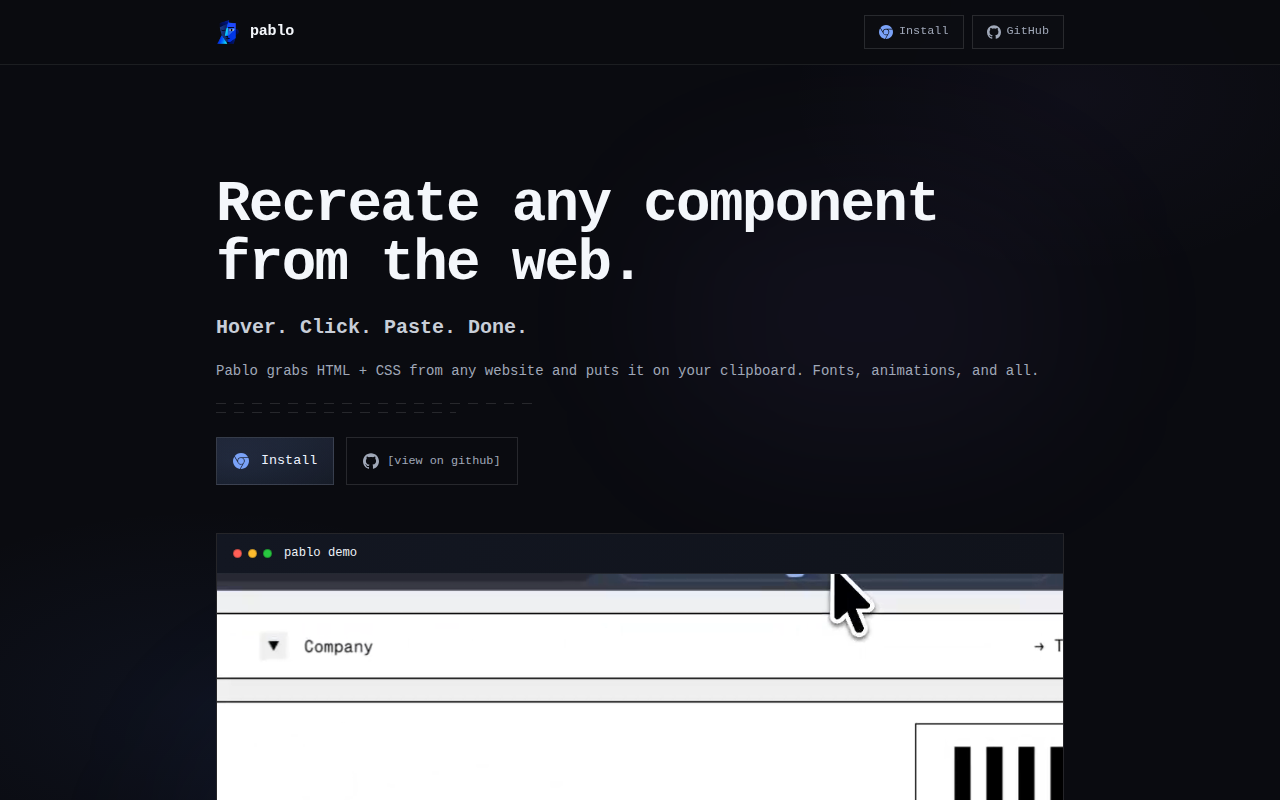
www.usepablo.dev/ →Hover. Click. Steal any UI component from the web.
WHAT IT SOLVES
You spot a beautiful component on some site, open DevTools, dig through nested divs, copy snippets, stitch them together — and it still looks wrong.
WHY IT'S INTERESTING
Not a screenshot — real, editable code
Most 'capture UI' tools hand you a screenshot or broken HTML. Pablo gives you the actual HTML + CSS on your clipboard — font declarations, CSS animations, even GSAP and Framer Motion definitions. Paste it into your project and it actually runs.
Captures animation libraries too
The HN listing calls out GSAP, Framer Motion, and Webflow IX2 capture — not just static markup. This means the tool snapshots runtime behavior and motion definitions, not just DOM structure. Getting that right takes real engineering.
TECH GUESS
Chrome Extension Manifest V3, likely uses MutationObserver + getComputedStyle for capture, open source on GitHub
DEEP DIVE
One-Click Component "Stealing": The Developer's Pain Point
For front-end developers, few things are as tedious as spotting a beautifully designed button or card on a website, wanting to recreate it, and then having to sift through nested divs and spans in DevTools to manually piece together the CSS. Pablo, a Chrome extension by developer rayansaleh, aims to solve this with a deceptively simple three-step process: hover, click, and paste. It’s not a screenshot tool; it copies the component’s HTML and CSS—including font declarations and animation keyframes—directly to your clipboard. This means you can paste it into your project and have it run, saving hours of guesswork and style debugging.
More Than Static Code: The Ambition and Reality of Capturing Animations
Pablo’s most striking claim is its ability to capture animations from libraries like GSAP, Framer Motion, and Webflow IX2. This goes beyond copying DOM elements; it attempts to extract the underlying interaction logic. Technically, this likely involves deep scraping of DOM snapshots, runtime states, and animation definitions (e.g., CSS keyframes or JS animation configs). However, HN user hydra-f’s feedback highlights the gap between promise and reality: “Models still introduce hallucinations in the copy... the website I tried was https://maximeheckel.com/ , which it handled with quite varying degrees of success (poorly on the heavier parts of it).” This indicates that for complex, interactive sites, Pablo’s output can be unstable or even erroneous. Developers should recognize that such tools are better suited for relatively static UI elements rather than intricate, state-dependent dynamic interactions.
Community Split: Efficiency Tool or Copyright Infringement?
Pablo received 33 points and 10 comments on HN, with the community reaction sharply divided. On one side, users like emirhanerkan expressed optimism: “If this works as advertised it'll be really useful.” On the other, ethical and legal concerns surfaced immediately. User jaen bluntly called it “copyright-violation-as-a-service,” while xingped sarcastically remarked, “Thieves be thieving. LLMs proved how broken and ineffectual copyright enforcement is, so why not join the party?” This controversy isn’t unique to Pablo but is a core issue for all “web scraping” tools. The provided materials don’t show author rayansaleh directly addressing these concerns, but as a developer, you must consider copyright and licensing when using such tools, especially in commercial projects.
Who Should Use It, and Its Honest Limitations
Pablo is best suited for: indie developers quickly recreating UI elements from reference sites (like Stripe’s pricing cards or buttons); front-end learners studying modern CSS and animation implementations through scraped code; and product managers or designers rapidly obtaining interactive components during prototyping. However, its limitations are clear. First, for complex websites (e.g., heavy JavaScript-driven pages), the scraped results may be incomplete or inaccurate. Second, the generated code might include unnecessary styles or structures requiring manual cleanup. Third, as user smokedetector1 asked: “Why are some things subtly different?” This suggests the output may not be pixel-perfect, especially when dealing with browser rendering differences or dynamic content. Thus, Pablo is better viewed as a powerful “inspiration extractor” rather than a perfect “code duplicator.”
Technical Implementation and Open-Source Insight
From a technical standpoint, Pablo is a Chrome Extension built on Manifest V3, likely using APIs like MutationObserver and getComputedStyle to scrape the DOM and styles. The author’s decision to open-source the code on GitHub is commendable, as it allows for community review, improvement, and learning. For developers wanting to dive deeper into how it works or customize its functionality, it’s a valuable resource. However, as HN user apeters criticized LLM-generated website quality: “Why is every LLM created website so shitty?” This indirectly reminds us that the quality of the tool’s output depends on the input and context. Pablo scrapes code from existing websites; if the source site itself has poor code quality, the scraped results may also disappoint. Therefore, it’s best used as a starting point and reference, not as a direct copy-paste solution.
Discussion (0)
- No comments yet — be the first.
Related
 #229▶ 136
Upload your textbook. AI teaches it back to you, chapter by chapter
 #228▶ 112
Someone needs to watch the AI spend meter
 #227▶ 184
Your users are kittens. Don't let them fall off the cliff