Control User Cursor
http://javier.xyz/control-user-cursor/ →Hijack the user's cursor with JS and CSS
WHAT IT SOLVES
The browser cursor is the most boring interaction element — nobody ever touches it
WHY IT'S INTERESTING
Cursor as interaction, not decoration
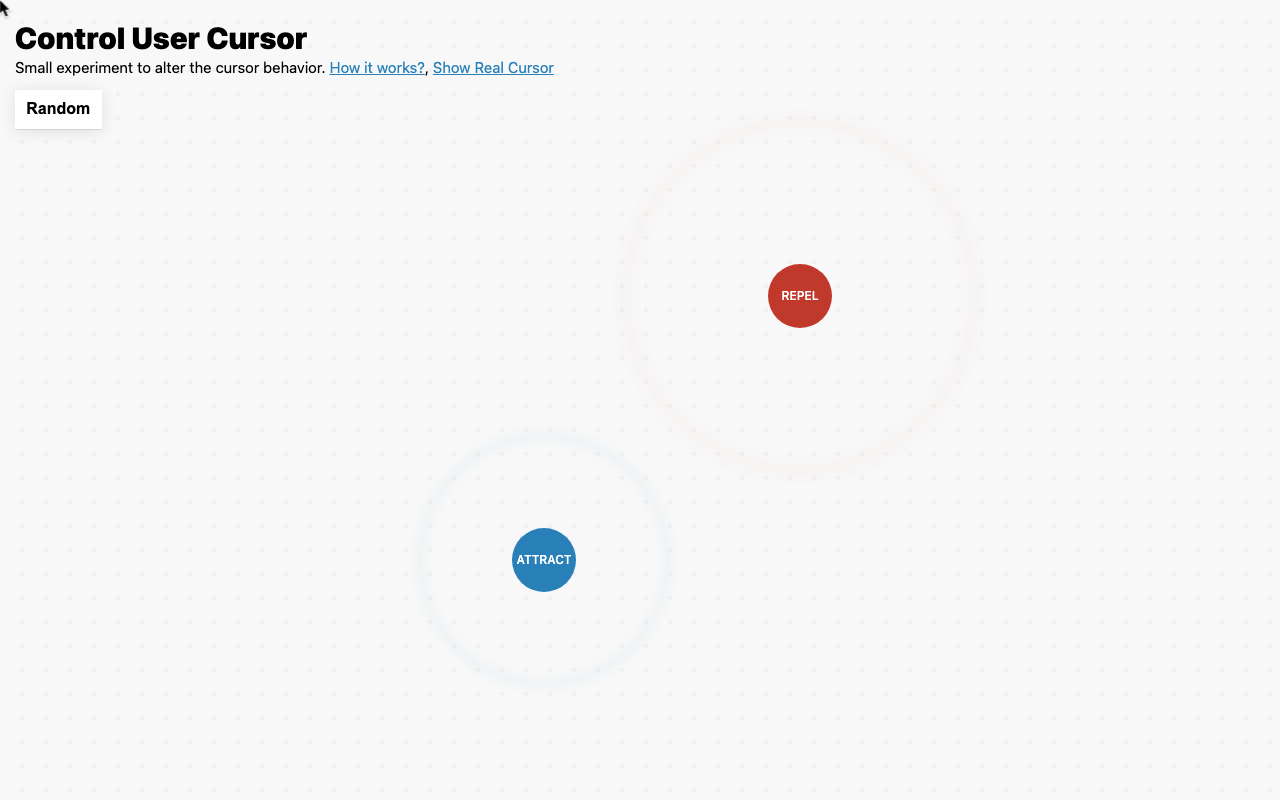
Most people treat the cursor as a default arrow. javierbyte turns it into a controllable particle — attract, repel, follow — proving there's a whole interaction layer everyone ignores
Attract/repel toggle plus 'show real cursor' switch
That toggle is underrated — it lets you instantly see the gap between 'hacked cursor' and 'system cursor', a debug detail built for experimenters, not end users
「"Small experiment to alter the cursor behavior"」
TECH GUESS
Vanilla JavaScript + CSS, zero dependencies
DEEP DIVE
The Ignored Interaction Layer: Cursors Are More Than Arrows
In web development, the cursor is a UI element so ubiquitous it’s often completely ignored. For decades, it has faithfully served as that silent, predictable indicator. Independent developer javierbyte’s “Control User Cursor” project, which garnered 267 upvotes and 58 comments on HN, is a bold, playful “provocation” against this very oversight. As the author states, it’s a “small experiment to alter the cursor behavior,” but the questions it raises are far more significant than the demo itself: when a user moves their mouse, what more can we expect beyond a simple click?
Minimalist Implementation, Maximum Imagination
The project’s charm lies first in its technical purity and restraint. It uses no frontend frameworks, relying solely on vanilla JavaScript and CSS to achieve “attract,” “repel,” and “follow” effects. A developer needs only to include a simple script to transform every cursor on a page into a particle controlled by a force field. This “small and beautiful” approach is itself a silent protest against over-engineering.
More importantly, there’s the “Show Real Cursor” toggle. This isn’t a user feature but a meticulously designed developer debugging tool. When the “attract” mode is active, it lets you instantly see the positional offset between the custom cursor and the system’s original one. This detail reveals javierbyte’s rigor as a builder: he isn’t just showcasing an effect but providing other developers with a quantifiable, debuggable interaction model. As HN user sml156 put it: “The repel was the funniest things I have seen all day.” — this instant, tangible interactive feedback is where its value truly lies.
From Toy to Tool: The Line Between Benign Use and Dark Patterns
The project sparked a fierce debate on HN about its potential uses, which proves just how disruptive the concept is. User ohadron cut to the chase: “the ‘gravity’/‘attract’ mode could be used for some very dark UI patterns.” Community members then listed various dreadful scenarios: clickjacking, making “unsubscribe” buttons infuriatingly hard to click, or tricking users into clicks by accumulating positional drift.
However, a counter-argument quickly formed. User Gabriel_Martin retorted: “or some very slick and helpful ux.” This reveals the core tension: any powerful interactive tool is a double-edged sword. As user astrobe_ compared it to popups, the “helpful/harmful” ratio depends entirely on developer intent and ethics. The author, javierbyte, even jumped into the comments to try building a clickjacking demo himself and promised to update it. This atmosphere of developers and the community jointly exploring the ethical boundaries of technology is inherently valuable.
Who Should Pay Attention to This Experiment?
This project isn’t a plug-and-play product; it’s an inspirational prototype. It’s best suited for:
1. Frontend Interaction Designers: Those looking for new ideas beyond traditional UI components (buttons, sliders, menus) and wanting to explore the boundaries of “ambient interaction” and “micro-interactions.” 2. Creative Developers & Artists: For crafting web art projects, games, or interactive stories with a unique atmosphere and narrative feel. 3. UX Researchers: As a testing tool to study user feedback on unexpected interactions, observing users’ instinctive reactions when their cursor “goes rogue.”
User Freak_NL’s comment highlights a critical limitation: this technology could interfere with assistive technologies like high-contrast modes and oversized cursors. This is a vital reminder that while pursuing innovation, the bottom line of accessibility must never be crossed.
Conclusion: A “Small” Experiment Pointing to the Future
“Control User Cursor” is a quintessential “AI Underdogs” project: an independent developer used the most basic tech stack to execute a profoundly inspiring interaction experiment. It doesn’t claim to “change the game,” but it does leverage the most fundamental interaction contract between a user and their browser. It reminds us that innovation sometimes isn’t about using complex AI or frameworks, but about rethinking something long taken for granted with the simplest tools. It’s a toy, a tool, and most importantly, a mirror, reflecting the unexplored, possibility-and-risk-filled wilderness of web interaction.
Discussion (0)
- No comments yet — be the first.
Related
 #229▶ 136
Upload your textbook. AI teaches it back to you, chapter by chapter
 #228▶ 112
Someone needs to watch the AI spend meter
 #227▶ 184
Your users are kittens. Don't let them fall off the cliff